
Configuration
Every LocalPilot setting, with defaults.
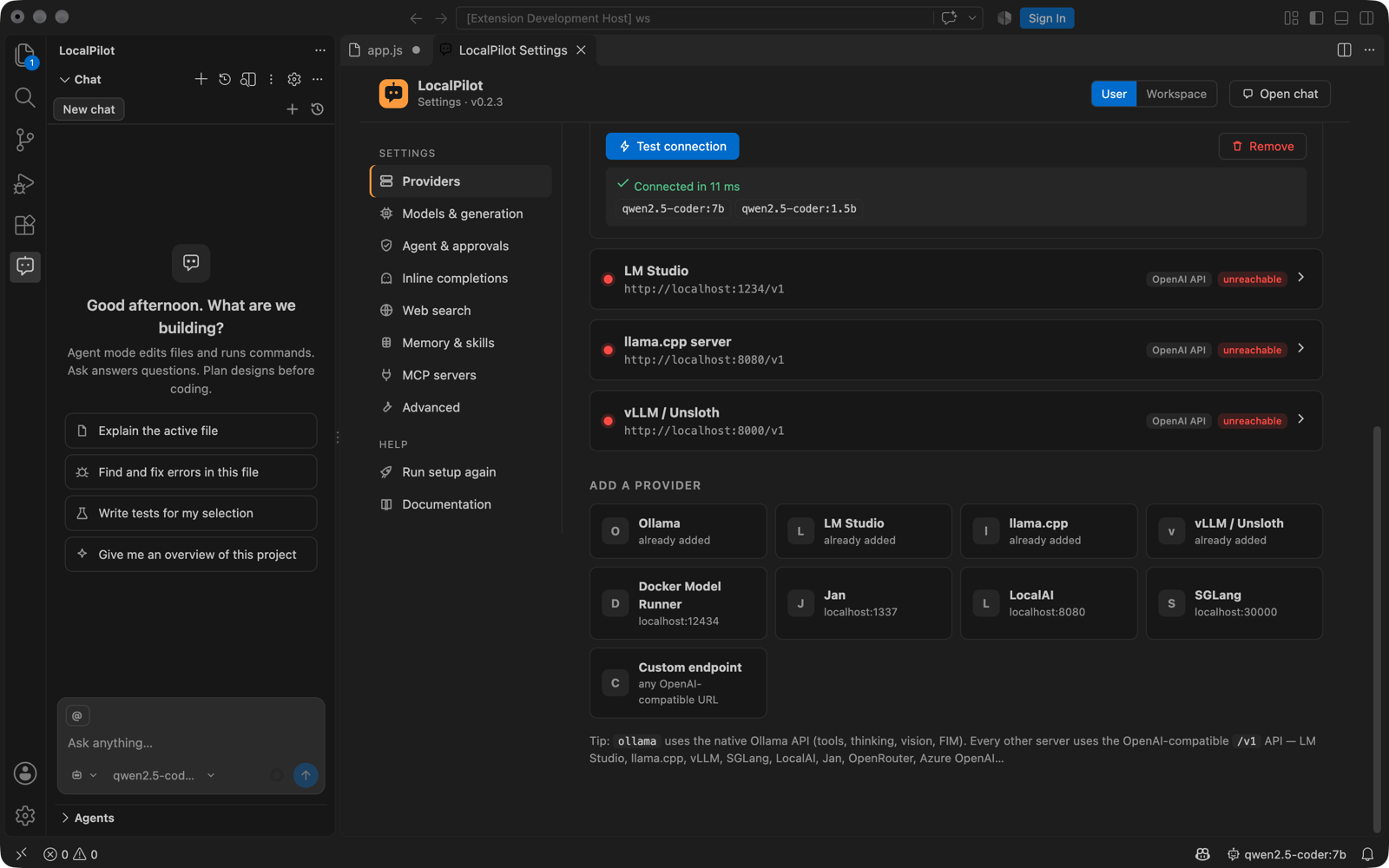
The easiest way to configure LocalPilot is its own Settings screen — click the gear icon in the chat toolbar or run LocalPilot: Settings. It has a page for each group below, shows whether a value comes from your User or Workspace settings, lets you reset any value, and includes a provider manager with a Test connection button that lists the models each server exposes.
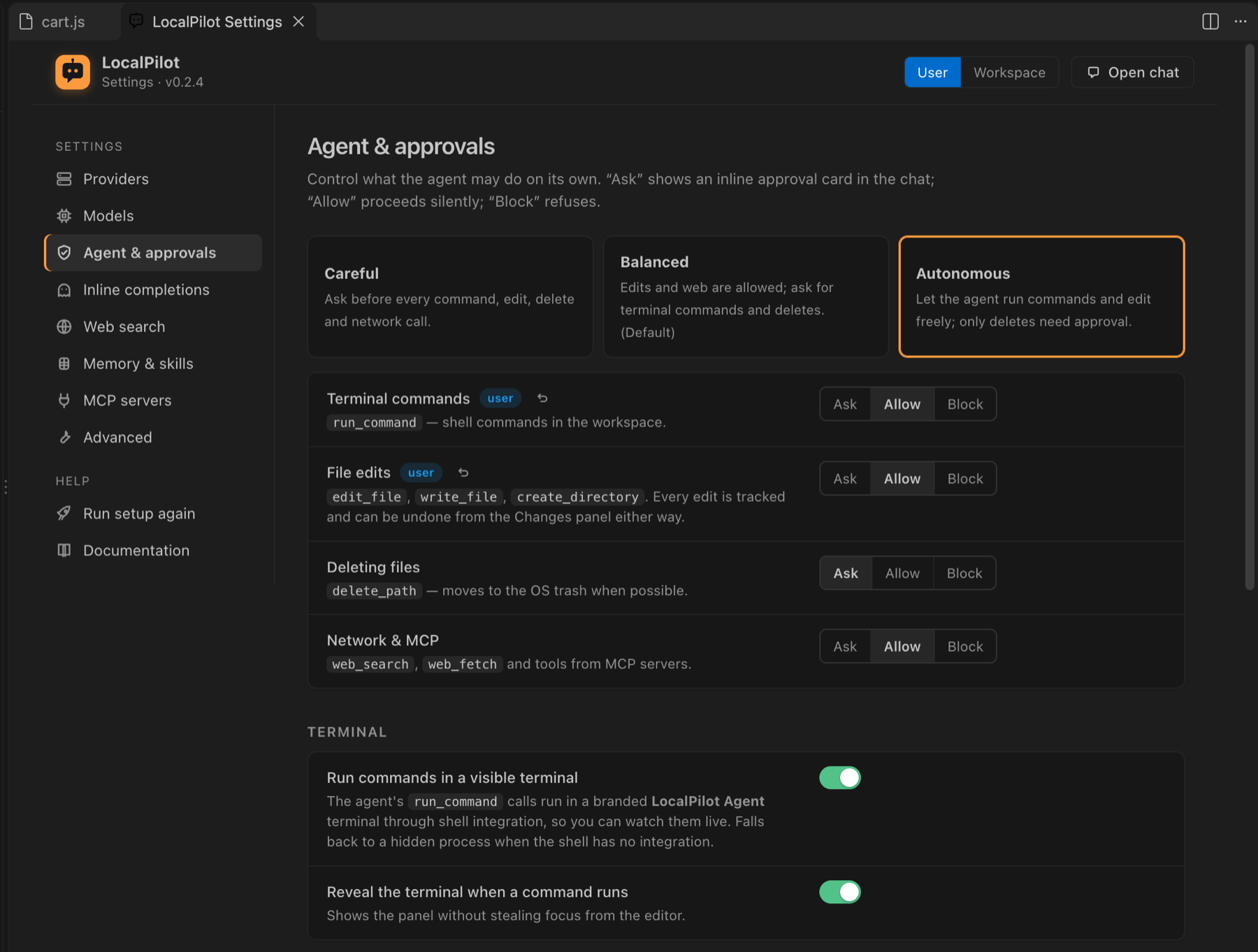
The first time LocalPilot starts without a reachable model server it opens the Welcome / Setup wizard instead, which detects Ollama, LM Studio, llama.cpp and vLLM, recommends a model and sets an approval preset (Careful, Balanced or Autonomous). Run it again any time with LocalPilot: Welcome / Setup, or disable the automatic prompt with localpilot.showWelcomeOnStartup.
Everything is also available in Settings → Extensions → LocalPilot and in settings.json; the keys are listed below.
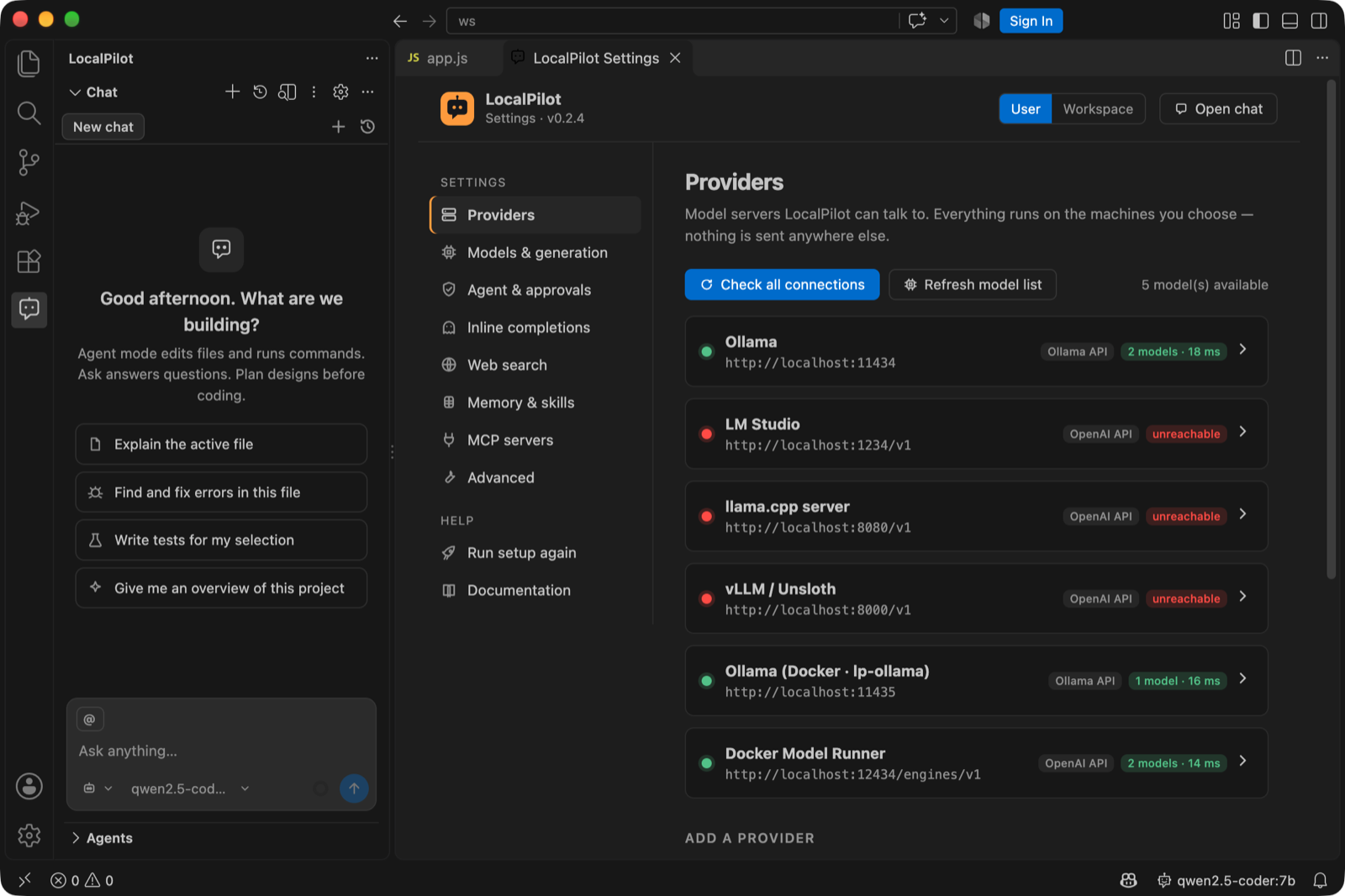
Expand a provider to edit it and press Test connection — LocalPilot checks the server, measures latency and lists every model it exposes:
Models
| Setting | Default | Description |
|---|---|---|
localpilot.providers |
Ollama, LM Studio, llama.cpp, vLLM on localhost | Model servers. See Models & providers |
localpilot.defaultModel |
"" (auto) |
provider/model. Empty picks the best tool-capable coder model that fits this machine |
localpilot.models.disabled |
[] |
provider/model ids hidden from pickers, routing and the status bar (toggle in Settings → Models) |
localpilot.models.autoSetup |
true |
Offer to install Ollama + a starter model when no local model is found |
localpilot.contextWindow |
32768 |
Requested context (Ollama num_ctx); capped by the model’s maximum |
localpilot.maxOutputTokens |
4096 |
Max tokens per response |
localpilot.temperature |
0.2 |
Sampling temperature |
localpilot.thinking |
false |
Extended thinking for reasoning models |
Browser
| Setting | Default | Description |
|---|---|---|
localpilot.browser.chromePath |
"" (auto) |
Chromium-based browser used for headless web-page screenshots (browser_screenshot, Screenshot a Web Page…). Auto-detects Chrome, Chromium, Edge, Brave, Arc |
Routing
| Setting | Default | Description |
|---|---|---|
localpilot.routing.enabled |
true |
Pick a model per task: vision model for image turns, smallest FIM model for completions, reasoning model in Plan mode, best available model when the default is offline/disabled |
localpilot.routing.vision |
"" (auto) |
provider/model for turns with images when the session model cannot see |
localpilot.routing.reasoning |
"" (keep session model) |
provider/model used in Plan mode |
localpilot.routing.fast |
"" (auto) |
provider/model for read-only subagents (explore, clarifier, researcher). Empty = smallest tool-capable model that fits; session = keep the session model |
localpilot.routing.coding |
"" (keep session model) |
provider/model for implementing subagents (coder, tester, debugger, docs) |
See Automatic routing.
Context
| Setting | Default | Description |
|---|---|---|
localpilot.compactionThreshold |
0.75 |
Fraction of the window at which pruning/summarising starts |
localpilot.maxToolOutputChars |
24000 |
Per-tool-output clamp (head + tail kept) |
localpilot.systemPromptAppend |
"" |
Extra instructions appended to every system prompt |
localpilot.skillsPaths |
[] |
Additional skill folders |
Approvals
| Setting | Default |
|---|---|
localpilot.approvals.terminal |
ask |
localpilot.approvals.write |
always |
localpilot.approvals.delete |
ask |
localpilot.approvals.network |
always |
Values: always, ask, never.
Parallelism
| Setting | Default | Description |
|---|---|---|
localpilot.parallel.maxConcurrency |
4 |
Concurrent tool calls / subagents |
localpilot.parallel.maxSubagentDepth |
2 |
Nesting limit |
localpilot.autoClarify |
true |
Detect vague requests and hand the agent a workspace snapshot (editor, open files, errors, git) so it states its interpretation before acting |
Chat history & memory
| Setting | Default | Description |
|---|---|---|
localpilot.chat.location |
sidebar |
Where the chat lives: sidebar (Primary Side Bar), secondarySidebar (right, where Copilot Chat sits), panel (bottom, next to the Terminal) or editor (a tab in the main area). Change it with LocalPilot: Move Chat To… or by dragging the view |
localpilot.sessions.retention |
50 |
Max chats kept per workspace. The oldest idle chats are removed when a new one starts; pinned and running chats never count. 0 keeps everything |
localpilot.memory.enabled |
true |
Let the agent save/read durable notes (.localpilot/memory/ and global storage). Manage notes in Settings → Memory & history |
Web search
| Setting | Default | Description |
|---|---|---|
localpilot.webSearch.provider |
duckduckgo |
duckduckgo (no key), searxng, brave, tavily |
localpilot.webSearch.searxngUrl |
http://localhost:8888 |
Self-hosted SearXNG |
localpilot.webSearch.apiKey |
"" |
Brave / Tavily key |
localpilot.webSearch.maxResults |
6 |
Inline completions
| Setting | Default | Description |
|---|---|---|
localpilot.inlineCompletion.enabled |
false |
Ghost-text completions |
localpilot.inlineCompletion.model |
"" |
provider/model; empty uses the smallest FIM-capable model that fits this machine |
localpilot.inlineCompletion.debounceMs |
350 |
|
localpilot.inlineCompletion.maxTokens |
128 |
MCP
localpilot.mcpServers — see MCP servers.
Example
{
  "localpilot.defaultModel": "ollama/qwen2.5-coder:32b",
  "localpilot.contextWindow": 65536,
  "localpilot.approvals.terminal": "ask",
  "localpilot.inlineCompletion.enabled": true,
  "localpilot.inlineCompletion.model": "ollama/qwen2.5-coder:1.5b-base",
  "localpilot.webSearch.provider": "searxng",
  "localpilot.systemPromptAppend": "Use pnpm, not npm. Prefer functional React components."
}