
MCP servers
Extend the agent with any Model Context Protocol server.
LocalPilot includes a stdio MCP client. Every tool a server exposes becomes available to the agent as mcp_<server>_<tool>.
Configuration
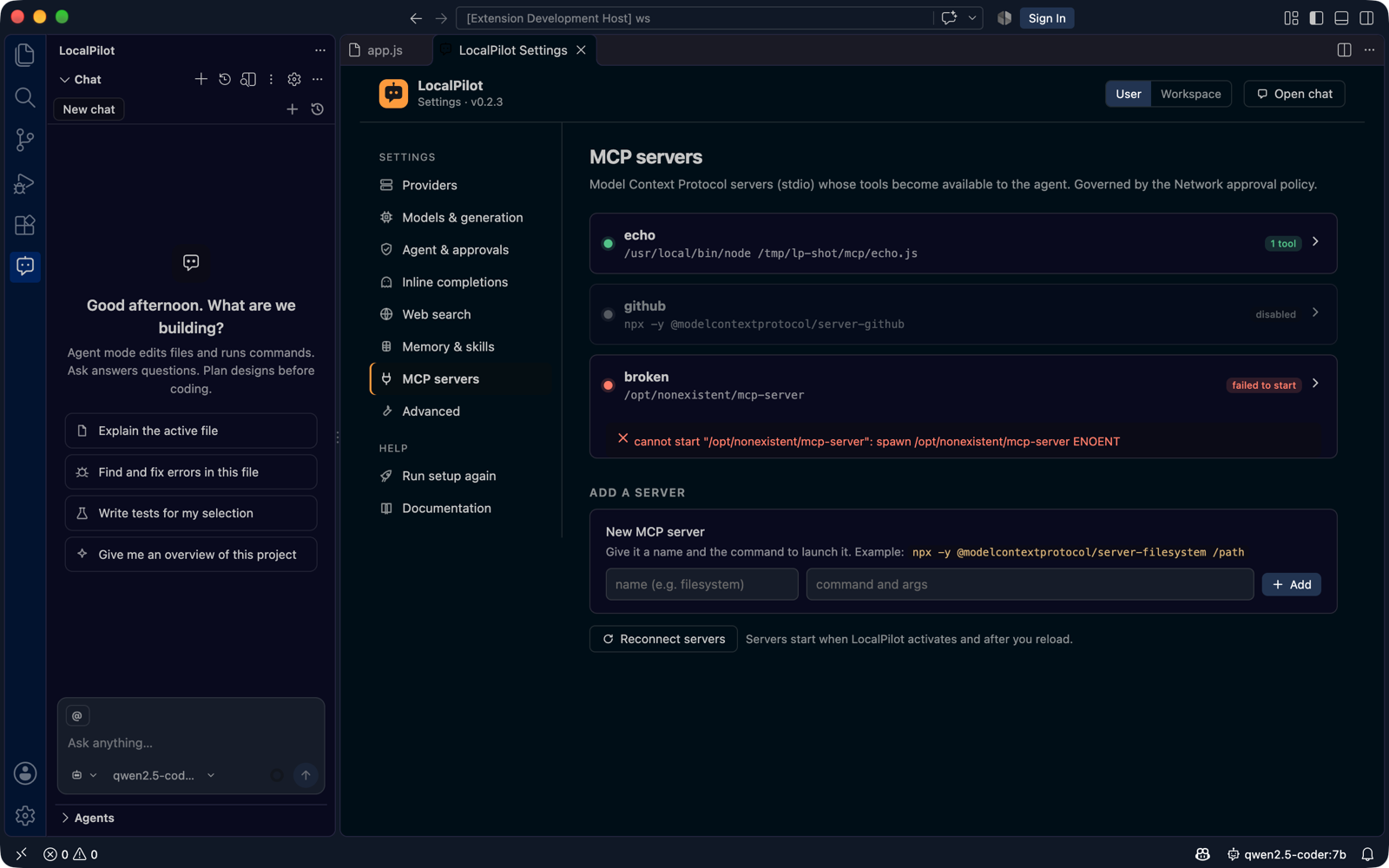
The Settings → MCP servers page (gear icon in the chat toolbar) lets you add, edit, disable and remove servers and shows each one’s live state — connected with its tool count, disabled, or failed to start with the exact error:
The same configuration lives under localpilot.mcpServers:
"localpilot.mcpServers": {
  "filesystem": {
    "command": "npx",
    "args": ["-y", "@modelcontextprotocol/server-filesystem", "/path/to/allowed/dir"]
  },
  "github": {
    "command": "npx",
    "args": ["-y", "@modelcontextprotocol/server-github"],
    "env": { "GITHUB_PERSONAL_ACCESS_TOKEN": "ghp_…" }
  },
  "postgres": {
    "command": "uvx",
    "args": ["mcp-server-postgres", "postgresql://localhost/mydb"],
    "enabled": false
  }
}
| Field | Purpose |
|---|---|
command, args |
Process to launch (stdio transport) |
env |
Extra environment variables (merged with your shell’s) |
cwd |
Working directory (defaults to the workspace root) |
enabled |
Set false to keep the config but not start the server |
Servers start on activation and restart when settings change. Use LocalPilot: Reload Skills, Subagents & MCP Servers to restart manually; the notification shows how many MCP tools were registered.
Approvals
MCP tool calls follow the localpilot.approvals.network policy (default always). Set it to ask to confirm every call.
Troubleshooting
Open LocalPilot: Show Logs — server stderr is logged under [mcp:<name>], along with initialisation errors and the tool count.