
Features
A tour of everything LocalPilot can do.
Ask AI about this page
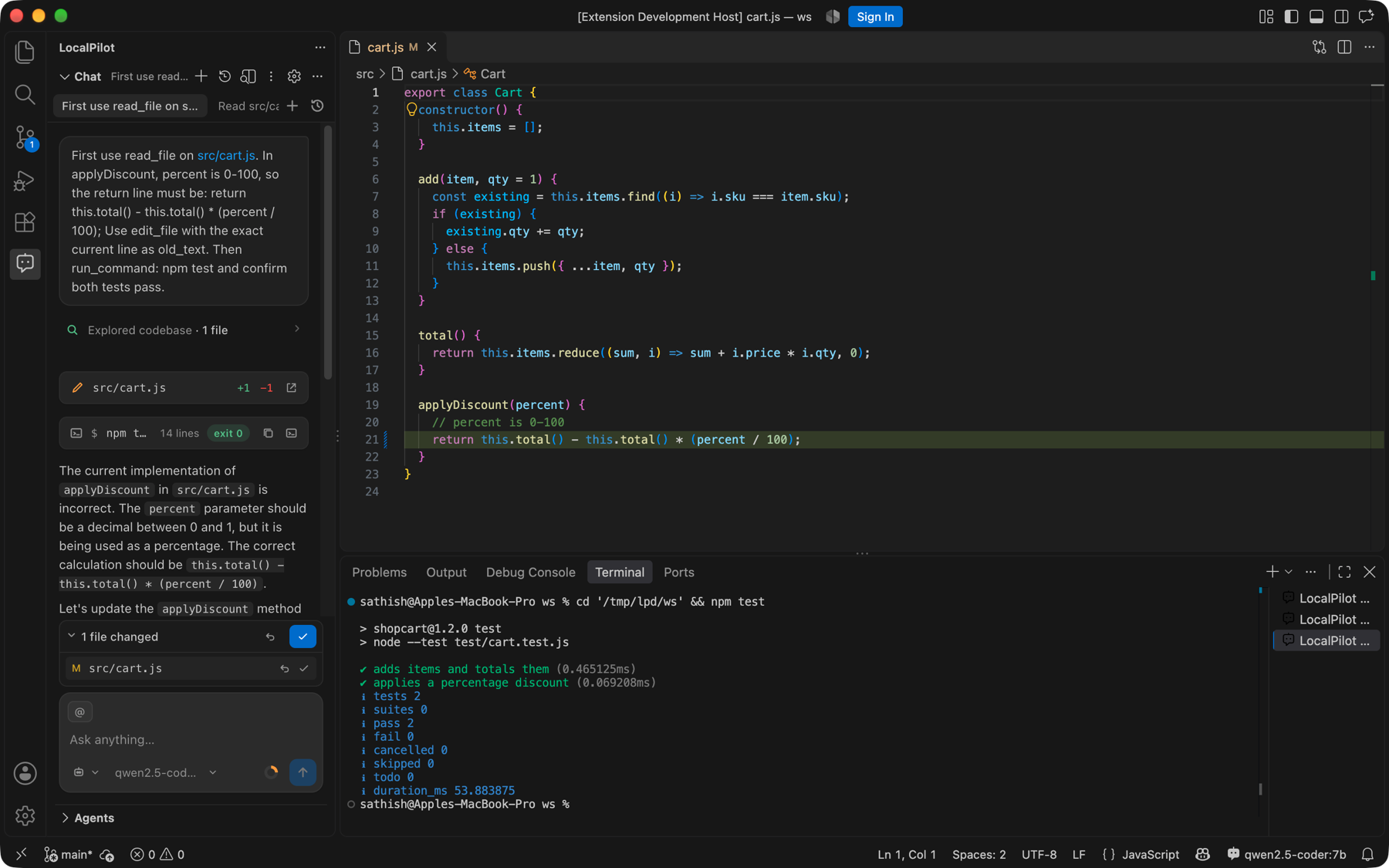
Chat & agent
- Agent mode — autonomous loop: read → search → edit → run → verify, with approval gates for terminal, delete and network actions.
- Ask mode — read-only Q&A about your code.
- Plan mode — investigates and produces a numbered implementation plan without editing.
- Streaming responses with live tool steps, thinking (for reasoning models) and status.
- Multiple sessions persisted per workspace; several can run concurrently in an always-visible tab bar (running chats first, History popover with search). Fork, pin, rename, export to Markdown.
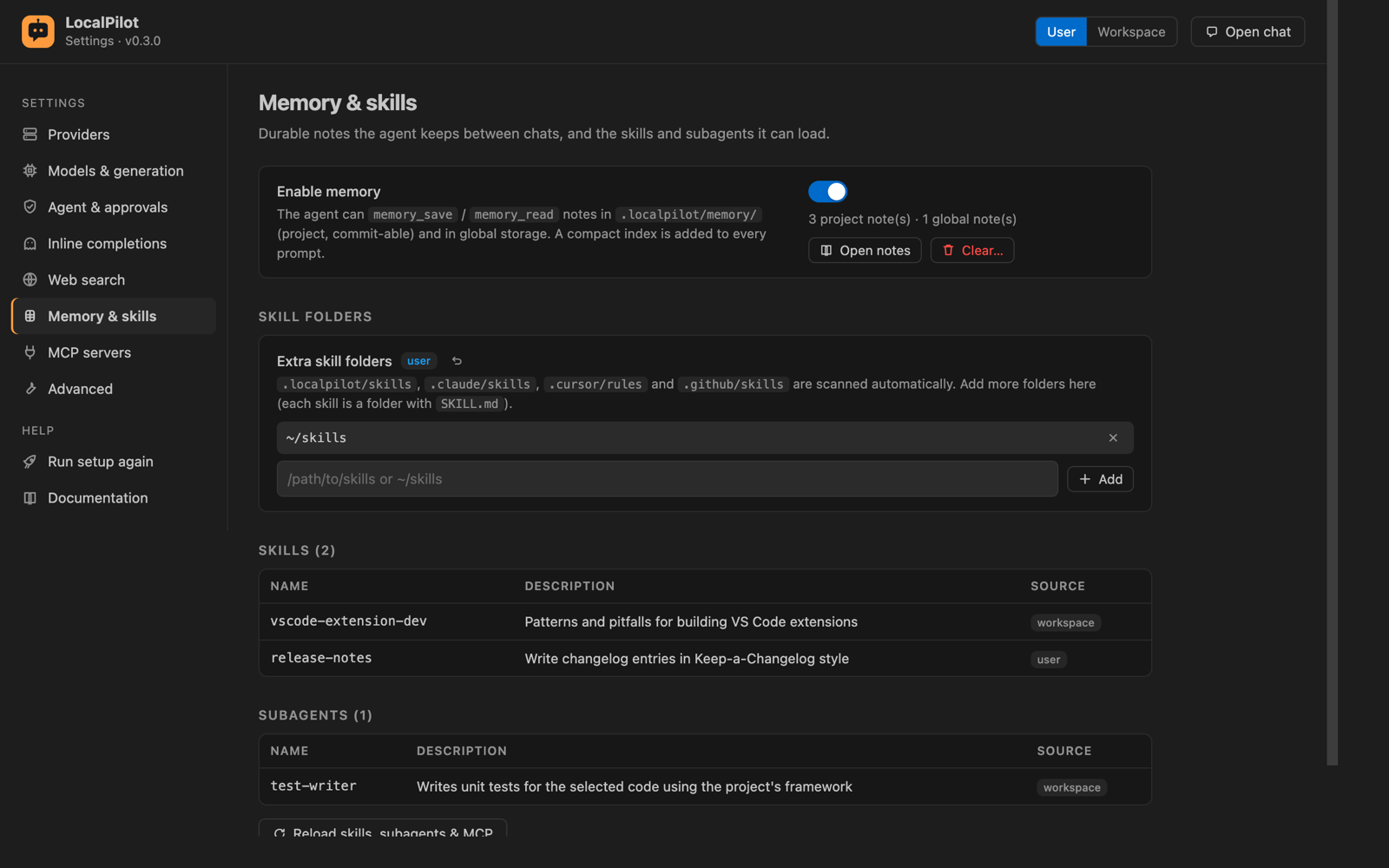
- Planning & memory — the agent keeps a live Tasks checklist for multi-step work and saves durable notes to
.localpilot/memory/(project) or user storage (global) that are recalled in later sessions. See Memory & planning. - Slash commands —
/help,/model,/mode,/compact,/clear,/skills,/agents,/skill,/agent,/context. - Lives where you want it — Primary Side Bar, Secondary Side Bar (like Copilot Chat), bottom Panel or an editor tab. Move Chat To… in the chat toolbar, the status bar menu or the Command Palette moves it and remembers the choice (
localpilot.chat.location); dragging the view works too. The LocalPilot icon in every editor’s title bar and in the status bar opens the chat wherever it is, and the status bar menu also reaches New Chat, model selection, inline completions and Settings.
Parallel agents & change review
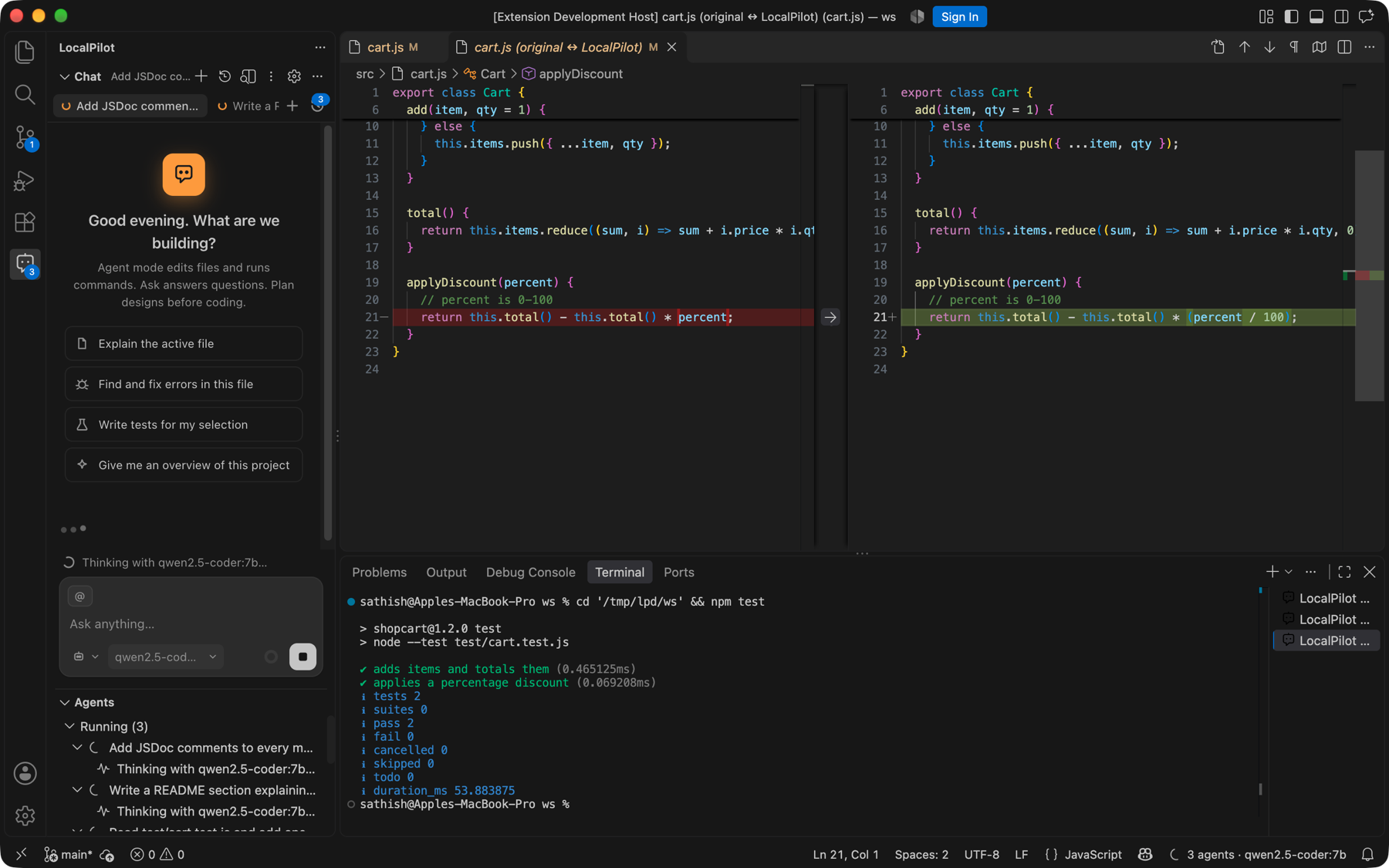
- Run Tasks in Parallel (⌘⇧⌥P) spawns one agent per task; each streams into its own tab.
- Agents panel lists running/idle sessions with live status, badge counts and inline Stop.
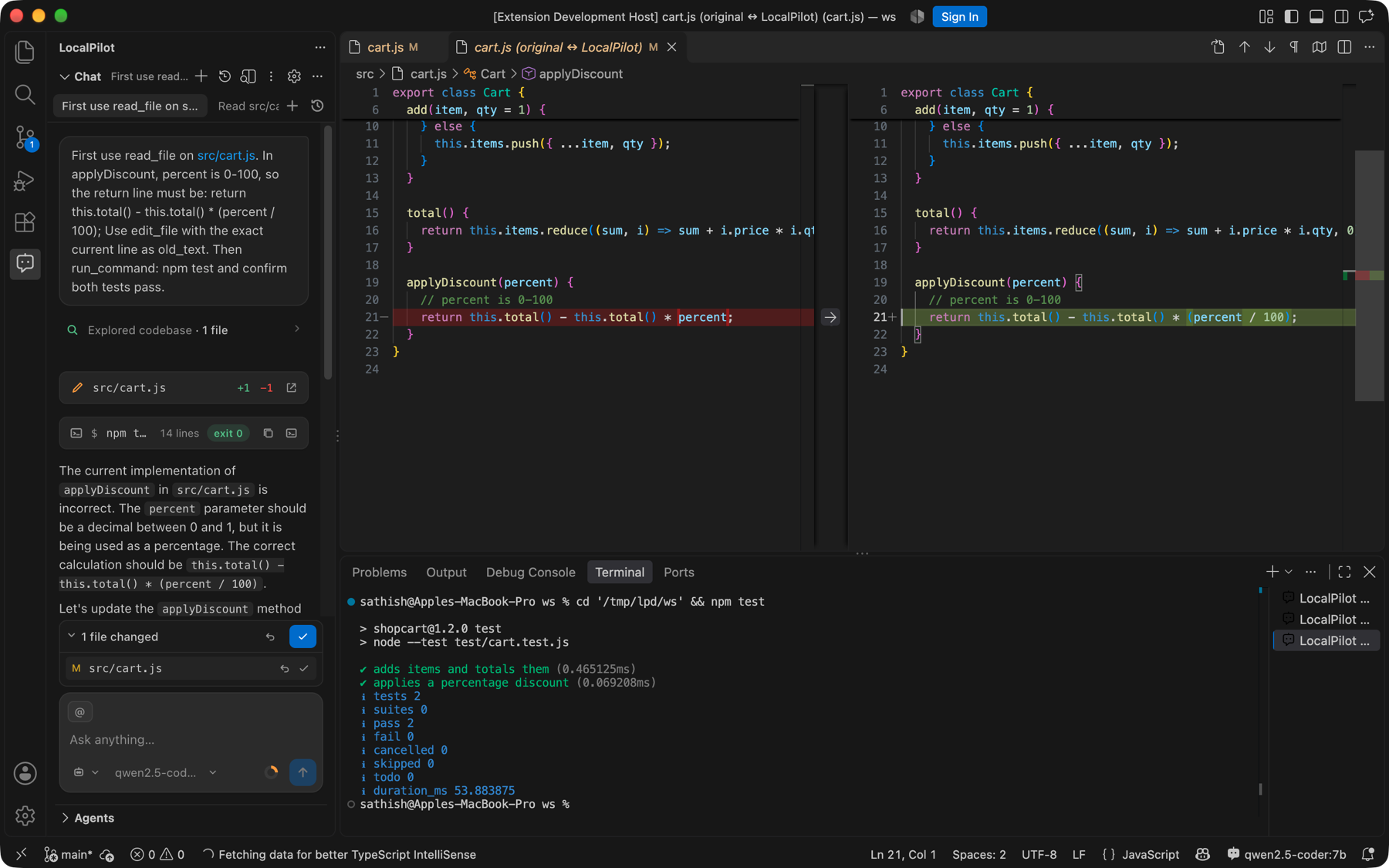
- Change tracker snapshots files before edits — Diff / Accept / Reject per file or per session, highlighted lines in editors.
- Restore checkpoint on any of your messages rewinds the files changed since that turn and puts the prompt back in the composer.
Context
- Per-model token budgeting; prunes old tool outputs, then summarises history (compaction), then truncates as a last resort.
@mentions:@workspace,@selection,@problems,@git,@editors, any file orfile#L10-L20, folders.- Attach via buttons, drag-and-drop, or the Explorer context menu.
- Project rules auto-loaded from
AGENTS.md,CLAUDE.md,.cursorrules,.cursor/rules/*.mdc,.github/copilot-instructions.md,.localpilot/rules.md.
Tools
File read/edit/write/list/delete · ripgrep search · symbol & reference lookup · shell with destructive-command detection · diagnostics · open file · ask user · web search (DuckDuckGo, SearXNG, Brave, Tavily) · web fetch (HTML → readable text) · load_skill · run_subagent · run_parallel_subagents · any MCP server’s tools.
Skills & subagents
- Skills (
SKILL.md) are loaded on demand via progressive disclosure. - Built-in subagents:
explore,coder,reviewer,researcher,clarifier,planner,tester,debuggeranddocs; define your own in.localpilot/agents/*.md.
Images
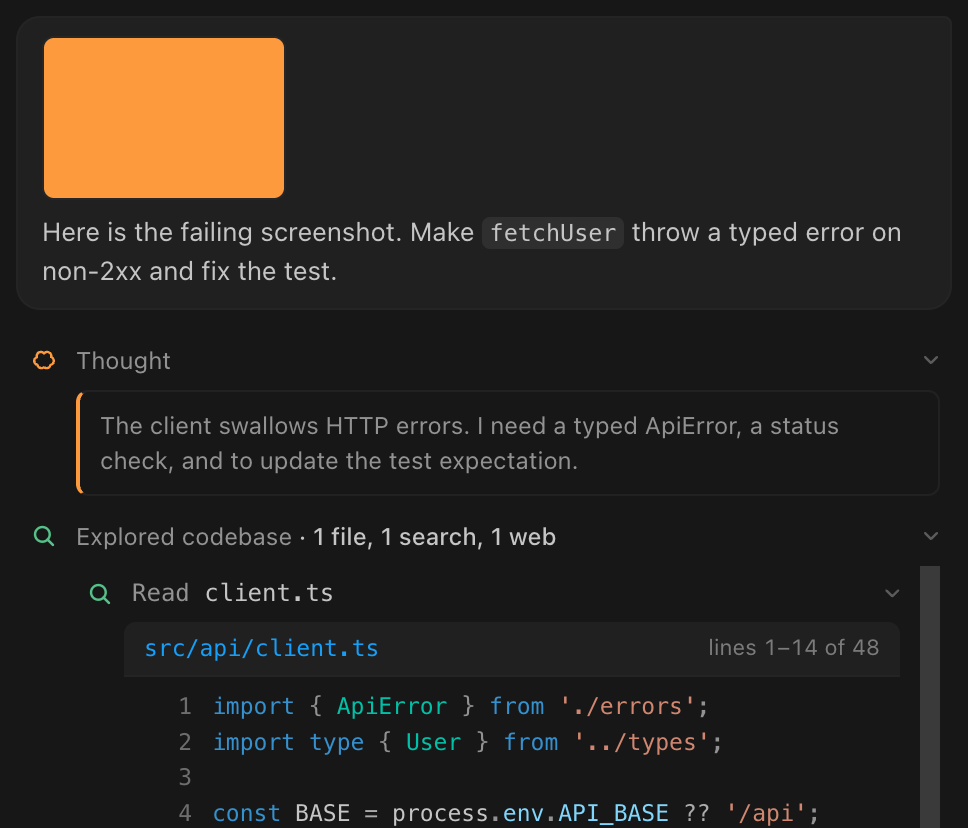
- Screenshot modes (⌘⌥⇧S or the attach menu): Selection area, This VS Code window, Pick a window, Full screen, Full screen in 5 s. Paste, drag-drop, pick a file, or right-click an image in the Explorer.
- Client-side downscaling; thumbnails in chat; warns if the model lacks vision.
Editor integration
- Inline edit ⌘⌥K — Cursor-style in-place rewrite with Keep/Undo.
- Terminal command generation ⌘⌥K in a terminal.
- Light-bulb actions: Fix / Explain with LocalPilot on diagnostics; Edit with LocalPilot on selections.
- Context menu: Explain, Fix, Refactor, Generate Tests, Add Documentation, Fix Errors in File.
- Commit message generator in the Source Control view.
- Inline completions from FIM models.
- Browser view, web screenshots & DevTools inspection — the agent opens URLs in VS Code’s Simple Browser (
open_browser), screenshots rendered pages or local dev servers with a headless Chromium (browser_screenshot, desktop / phone / full-page), and runs a full DevTools inspection (browser_inspect): console logs and exceptions with locations, network trace with failed requests and timings, performance metrics, layout checks, optional click/type/scroll actions before capture — rendered as a DevTools panel in the chat and attached to vision models. You can do the same from the camera menu. See Screenshots & images. - Clean transcript rendering — syntax-highlighted code blocks (theme colours, copy / insert / apply, file-name links), Markdown with nested and task lists, tables and images, file reads as numbered listings, terminal output with ANSI colours and exit codes, inline diffs for every edit, clickable
path:linereferences and an image lightbox.
Terminal & CLI
- Agent commands run in a visible, branded LocalPilot Agent terminal via shell integration (fallback: hidden process).
- Right-click a terminal → Explain Terminal Output, Fix Failed Command, Add Terminal Output to Chat;
@terminalin chat. localpilotCLI: the full agent in any shell — streaming, tool steps, approvals, REPL,models,doctor. See Terminal & CLI.
Settings & setup
- Zero-config auto-detection — at startup and on Refresh models, LocalPilot probes configured providers, the well-known local ports and running Docker containers (plus Docker Model Runner), adds every reachable server to your providers and picks the best tool-capable model when no default is set. See Models & providers.
- One-click model setup — with no local model anywhere, LocalPilot starts or installs Ollama and downloads a smallest-first starter set sized to your RAM / GPU (agent + completion + optional vision model), then sets the defaults. See Automatic setup.
- Model manager & catalog — hardware profile and model budget, installed models with enable / disable, set-default and remove, and a curated catalog where every size is marked fits / tight / too big; install to Ollama, Docker Model Runner or LM Studio with live progress.
- Automatic routing — a vision model for image turns, the smallest FIM model for completions, an optional reasoning model for Plan mode, and a graceful fallback when the chosen model is offline or disabled.
- Markdown reader — a dedicated, distraction-free panel for long answers and the documents the agent writes (specs, plans, reports, memory notes, skills). Rendered by VS Code’s own Markdown engine in a clean reading column with an outline, reading time, copy buttons on code blocks, adjustable text size, links that open files or the browser, and live reload while a file changes. Open it from Open as document under a chat answer, the preview icon in a Markdown editor’s title bar, the Explorer context menu, or LocalPilot: Open in Markdown Reader; the agent can present a document itself with the
show_markdowntool. - Settings screen (gear icon in the chat toolbar, or LocalPilot: Settings) with a page per area: Providers, Models, Agent & approvals, Inline completions, Web search, Memory & history, MCP servers and Advanced. Every value shows whether it comes from User or Workspace settings and can be reset individually.
- Provider manager — add Ollama, LM Studio, llama.cpp, vLLM, Docker Model Runner, Jan, LocalAI, SGLang or any OpenAI-compatible endpoint from a preset, edit URL / key / context window / model list, enable or disable, and Test connection to see latency and the live model list.
- Approval presets — Careful, Balanced, Autonomous — or fine-grained Ask / Allow / Block per action.
- MCP server manager — add, edit, disable and remove servers with their connection status and tool counts.
- Welcome / Setup wizard on first run: detects running servers, recommends a model, sets an approval preset.
- Getting Started walkthrough in VS Code’s Welcome page.
VS Code platform
@localpilotparticipant in the built-in Chat view (/agent,/ask,/plan).- Local models registered through the Language Model Chat Provider API — they appear in Copilot’s model picker.
- Status bar model switcher.
localpilotCLI (Install ‘localpilot’ CLI in PATH):localpilot "fix the tests",--plan,--ask,--file,--parallel,--settings,--setupopen LocalPilot in the current folder viavscode://deep links.- Extension API —
activate()exportsrunPrompt,runParallel,send,stop,getSession,runningSessionIds,onDidChangeRuns,listModelsandversionfor other extensions and scripts. See Development.